

Cactive Browser
A desktop web browser for Mac with your Cactive apps built in, one sign-in for all of them, and trackers blocked.
Version 0.1.0. For Macs with Apple silicon or Intel. About This Mac in the Apple menu shows which chip yours has.
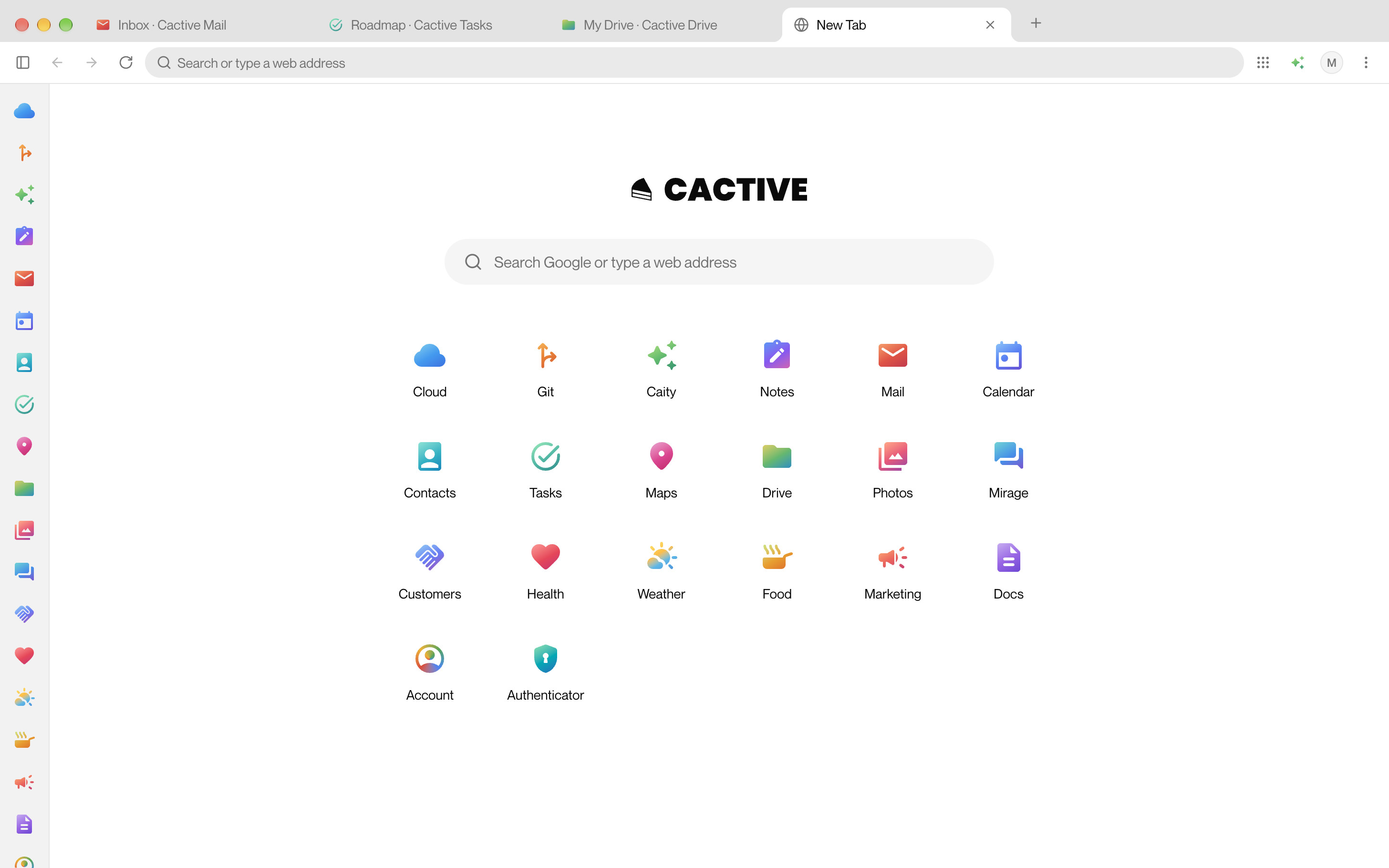
Built for your Cactive apps
And for the rest of the web.
Your apps in the sidebar
Every Cactive app, in the same order as the app switcher. Click one to open it, or to go back to its tab.
Sign in once
Sign in to your Cactive account once, and every app opens already signed in.
Trackers and ads blocked
Blocked by default with maintained filter lists. The shield shows how many, and allows them on a site if you choose.
Beside the page
Mail, Mirage, Caity and Tasks open in a side panel. Ask Caity about the page you're reading.
HTTPS-Only Mode
Every site opens over a secure connection, and one without stops at a warning first.
The Cactive mark
Beside the padlock, it shows only on Cactive's own addresses, never on lookalikes.
Profiles and private windows
Keep work and personal browsing apart, each with its own sign-in, history and bookmarks.
Command bar
Press ⌘K to search your tabs, your apps and everything the browser can do.
Keeps itself up to date
New versions download in the background and install when you quit.
Install
Open the disk image and drag the browser to Applications.